
Learn your words
until they go ( click )
Flashcards for any language. Offline, no account, no sign-up. Just open it and start.
Free to start · No account · No ads
Hi there!
I'm Flippo
I swim with you through every word list. Tap a card, flip it, know it. No account, no distractions, no internet needed.
Offline
Works without signal
No account
No email, no password
Your data
Stays on your device
Three reasons
it actually sticks
Get itfreenow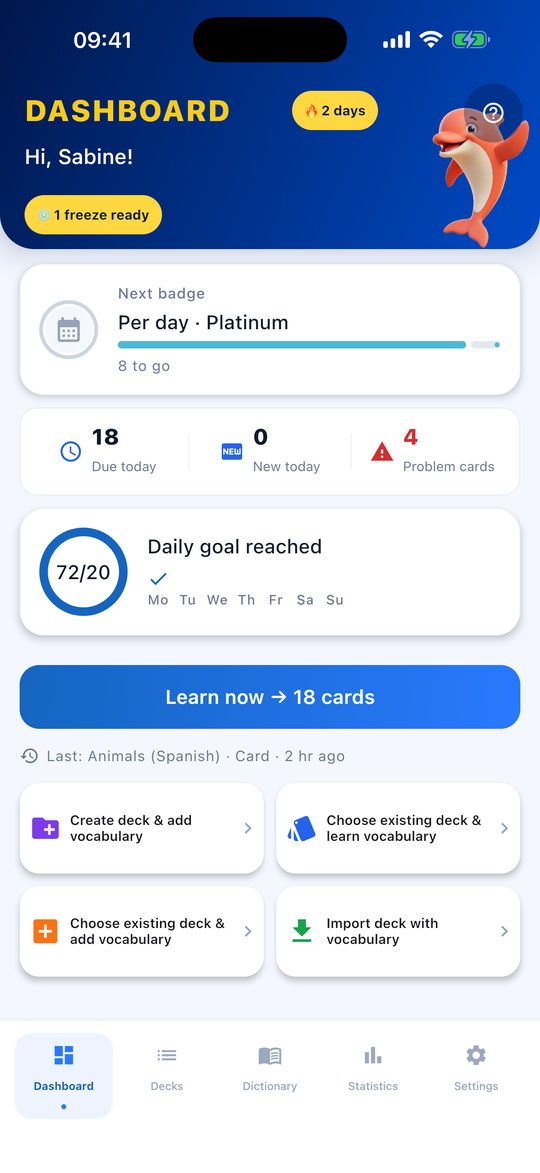
Box system
Review at the right moment
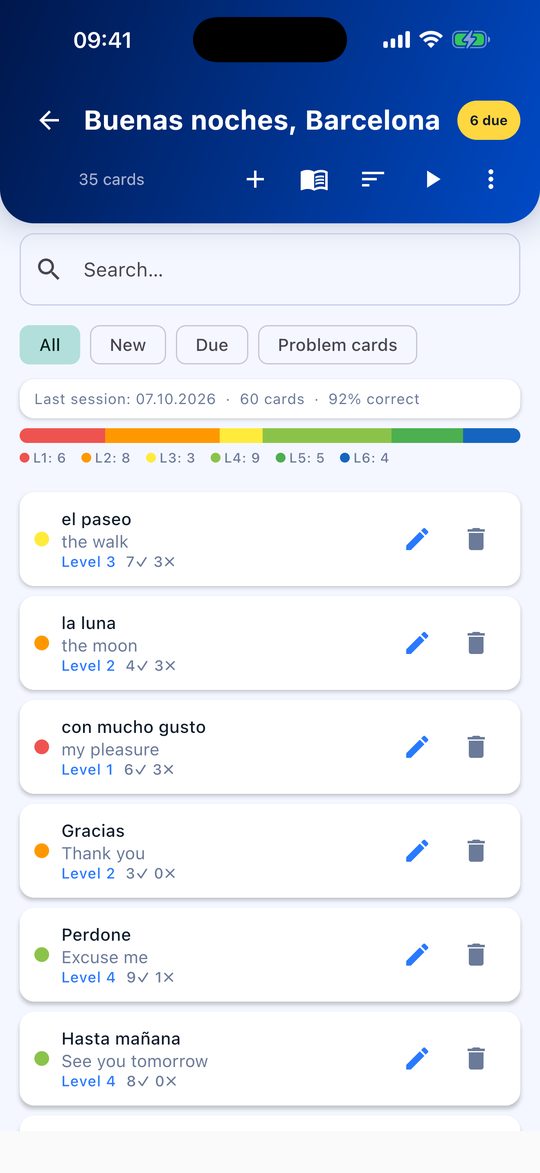
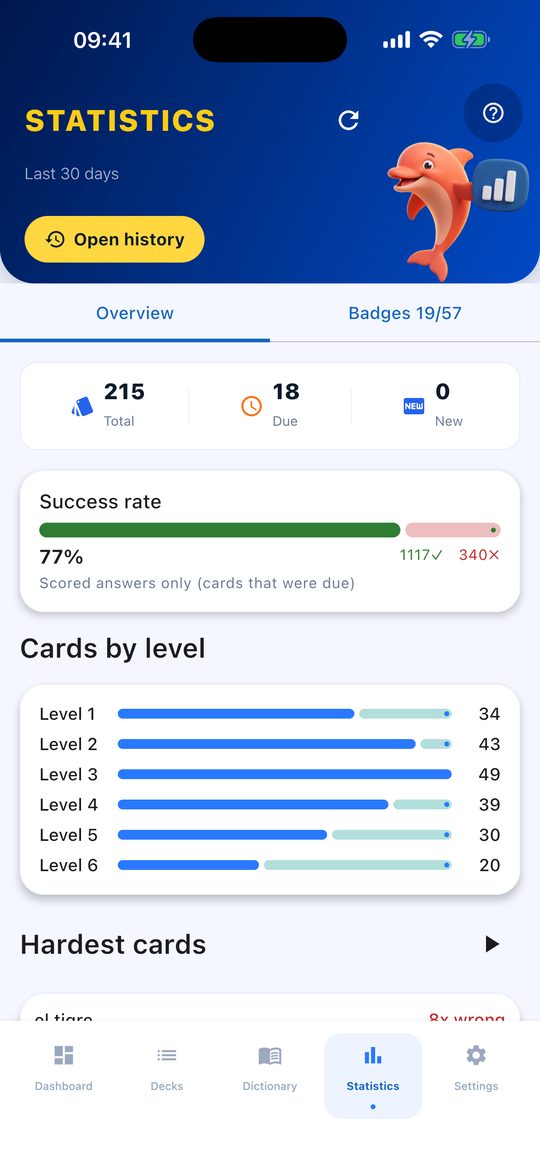
Words stick when you review them – not all at once, but at growing intervals. Flippo plans that for you: this flashcard app puts every card in a box and brings it back when it's due.
The six boxes of the Leitner system – how long until a card comes back:
- Box 1right away
- Box 24 days
- Box 37 days
- Box 414 days
- Box 530 days
- Box 6180 days
Got it right? The card moves up one box. Got it wrong? It goes back to box 1. These are the default intervals – you can change them for each box in the settings.
Box system
The classic Leitner system with fixed intervals. You rate each card as correct or wrong and can always see which box it is in.
Adaptive
You rate each card as Wrong, Hard, Good or Easy, and Flippo adjusts the interval card by card: what you know well comes back less often, what you struggle with comes back sooner.
Cards you often get wrong are marked as problem cards. Every wrong answer shortens the interval again, so they come up more often – and you can also practise them on their own.
Practice modes
Three ways to practise
Recognising a word is easier than writing it yourself. That's why Flippo quizzes you in three ways – pick whichever suits you right now.
Flashcard
Look at the word, flip the card, rate yourself honestly: knew it or didn't. Quick, and no typing.
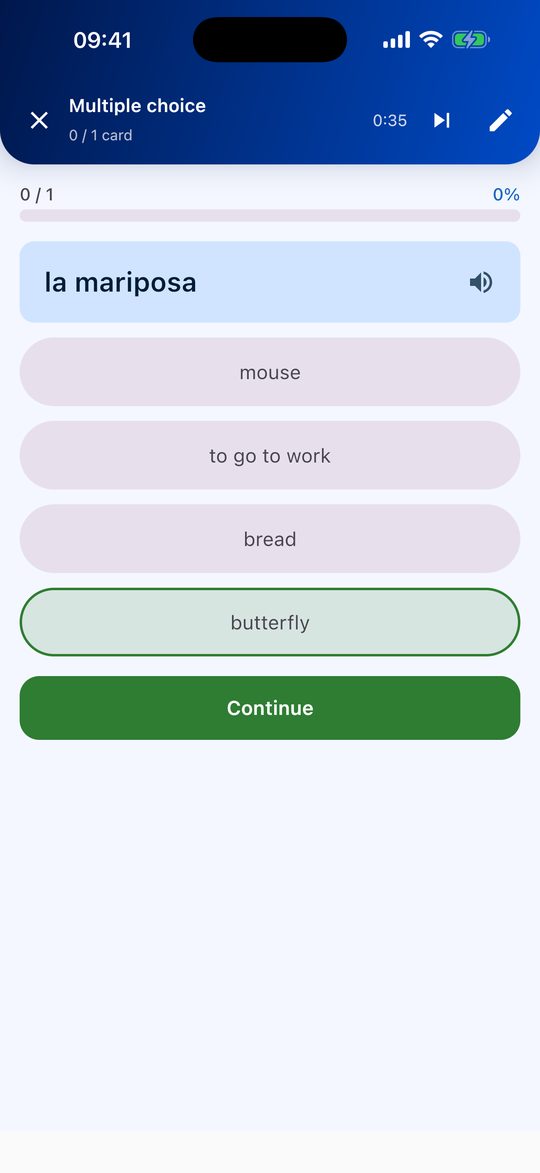
Multiple choice
Several answers, one of them right. A good way to get to know a new list.
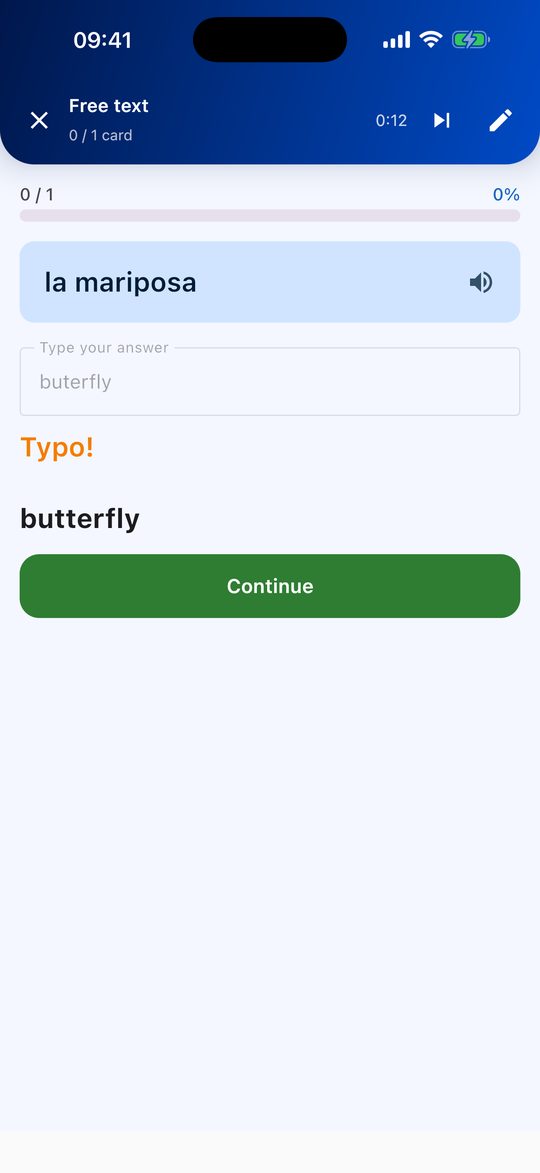
Free text
You type the translation yourself. Upper and lower case don't matter, small typos in longer words are accepted, and accents are treated leniently: si counts for sí. If you prefer it strict, switch on the accent check.
Achievements
Keep going with achievements
Flippo shows you every day how far you've got and keeps track of what you've already achieved.
Daily goal: 10, 20 or 30 cards
Easy, normal or intense – your choice, and you can change it any time. Each card counts once per day.
Streak with a break
Your streak counts the days you study in a row. Miss a day and a streak freeze keeps it going automatically – you get one per week.
Reminders, not nagging
If you like, Flippo reminds you at a time you choose – but only on days when you haven't reached your goal yet.
21 badges
In five families, most of them with Bronze, Silver, Gold and Platinum tiers. You'll find them all under Statistics, in the Badges tab.
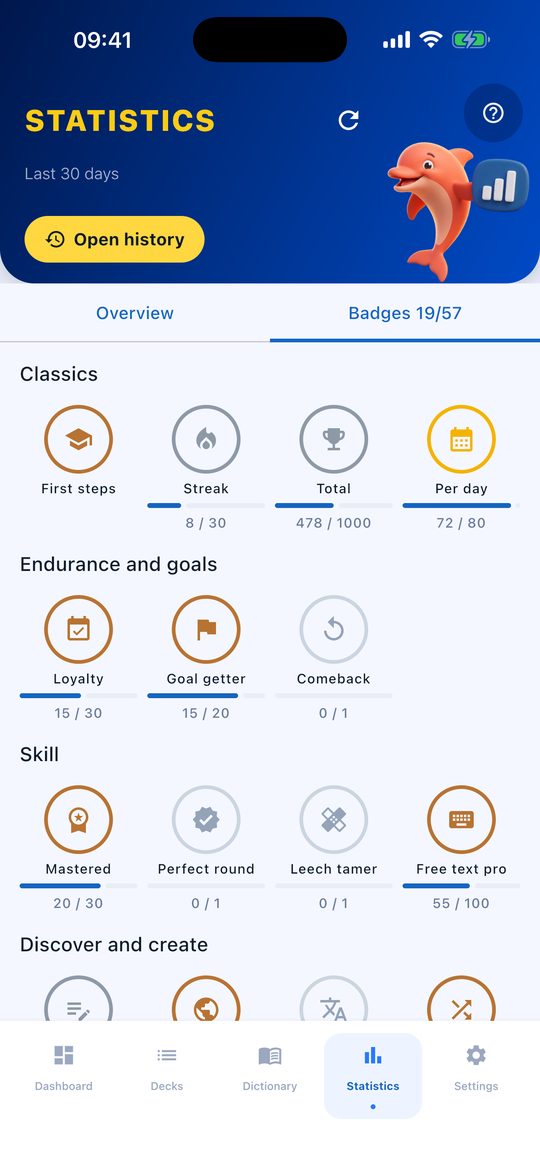
A few badges are hidden and only show up once you earn them.
Import & topic packs
Bring your own vocabulary
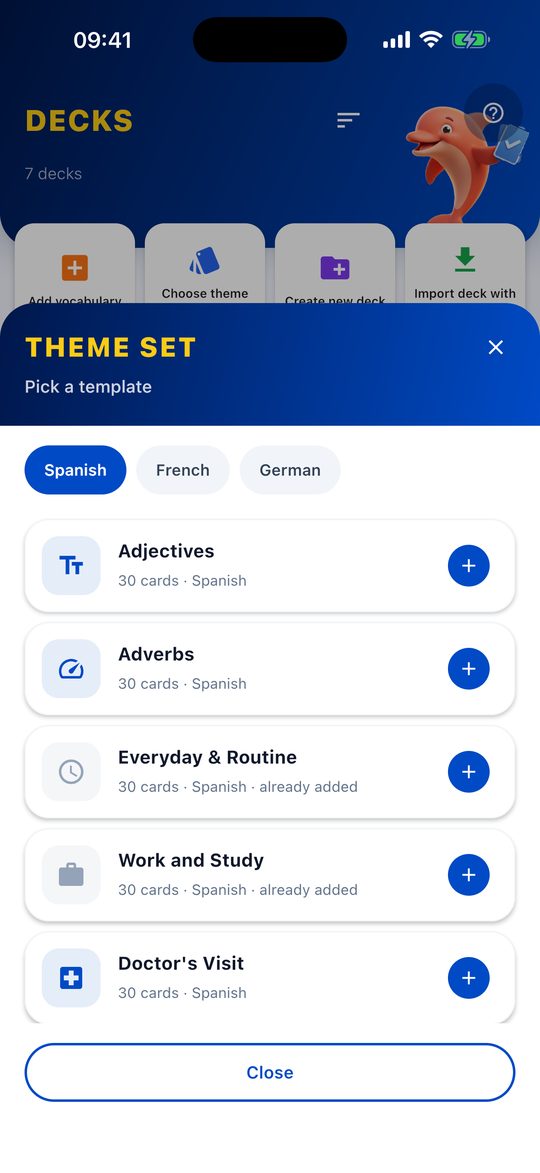
Your word list is already in a spreadsheet? Then there's nothing to retype. And if you're starting from scratch, pick a ready-made topic pack.
Import from CSV, TSV and Excel
Column 1 is the word, column 2 the translation – example sentence, notes and tags are optional. Flippo detects the separator and the header row on its own.
Ready-made topic packs
40 topics such as travel, food or numbers, each for Spanish, French and German. One tap and the list is created.
Export and share
Any list can be saved as a CSV or Excel file and shared by email or messenger – then imported again on another device.
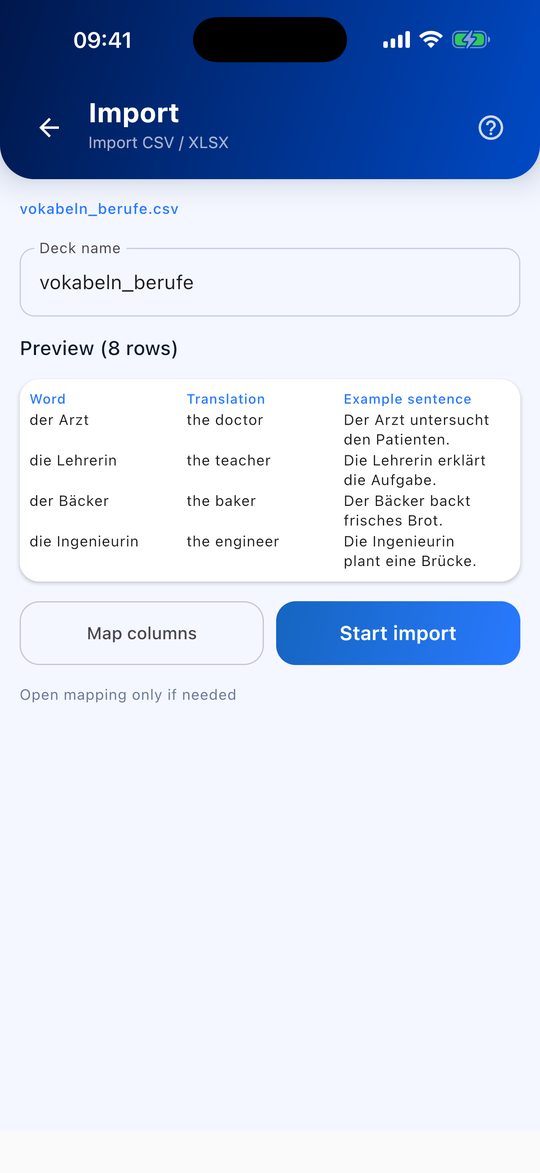
Exporting and sharing are free; importing from files is part of Flippo Pro.
Getting started
Ready in a few steps
No account, no forms. When you first open Flippo, a short 9-step tour shows you around – and along the way you already study your first cards in a real session.
Choose a language
Tell Flippo what you want to learn. To start, Flippo takes 5 cards from a topic pack, or you create them yourself.
Your first session
Flip the card, rate yourself honestly and see which box it moves to and when it comes back.
Goal and reminder
Finally, you choose your daily goal and whether Flippo should remind you.
You can skip the tour and replay it later from the help section.
Free & Pro
Free or Pro
Practice modes, statistics, achievements, topic packs and backup are the same in both versions. Pro removes the limits and adds import.
| Feature | Free | Pro |
|---|---|---|
| Lists | 3 | unlimited |
| Cards per list | 30 | unlimited |
| Practice modes, statistics, achievements | included | included |
| Ready-made topic packs | included | included |
| Offline, no account, no ads | included | included |
| Export and share a list as CSV/Excel | included | included |
| Import from CSV, TSV and Excel | not included | included |
| Backup and restore | included | included |
Flippo Pro is a one-time in-app purchase – no subscription, no monthly fees. You can unlock it in the settings or right when you reach a limit.
FAQ
Frequently asked questions
Is Flippo free?
Yes. You can use Flippo for free and without ads, with up to 3 lists and 30 cards per list. If you need more, you unlock Flippo Pro with a one-time purchase.
Does Flippo work offline?
Yes. Your lists and your progress are stored on your device, so you don't need an internet connection to study.
Do I need an account?
No. There is no sign-up, no email address and no password. Just open the app and start.
Can I import vocabulary from Excel?
Yes, with Flippo Pro: Excel files (XLSX) as well as CSV and TSV. Column 1 is the word, column 2 the translation; example sentence, notes and tags are optional.
What is the box system?
A Leitner system with six boxes. When you know a card, it moves up one box and comes back later – after 4, 7, 14, 30 and finally 180 days. When you don't, it goes back to box 1. Alternatively, the adaptive mode adjusts the intervals for each card.
Can I switch from Android to iPhone?
Yes, with a backup: create a backup file in Flippo, move it to your iPhone, for example by email or cloud storage, and restore it there. Your lists, progress and badges come along, and it works the other way round too. Backup and restore are included in the free version too. The backup does not transfer the Pro purchase itself; it applies in the store where you bought it.
Which languages and scripts can I learn?
Any language you create or import lists for. Flippo stores any script, such as Latin, Cyrillic or Arabic. Ready-made topic packs are available for Spanish, French and German. Text-to-speech uses your device's voices and is set up for English, German, Spanish and French. The app itself is available in English and German.
Is Flippo Pro a subscription?
No. Pro is a one-time in-app purchase, with no monthly fees and no renewal.
Get Flippo.Learn your words.
Finally say Hola.
Free with 3 lists · Flippo Pro, a one-time purchase for unlimited lists